
Workflows
Your gallery's routines, step by step
Start a workflow for a deal, a consignment or a show, and Artfolio lays out the steps, who owns each one and when it's due.
For galleries · plans from $59₹3,999€55£49A$89C$89NZ$109S$79AED 219HK$459CHF 55¥8,900 a month · Your first month is on us: 30 days, no card needed
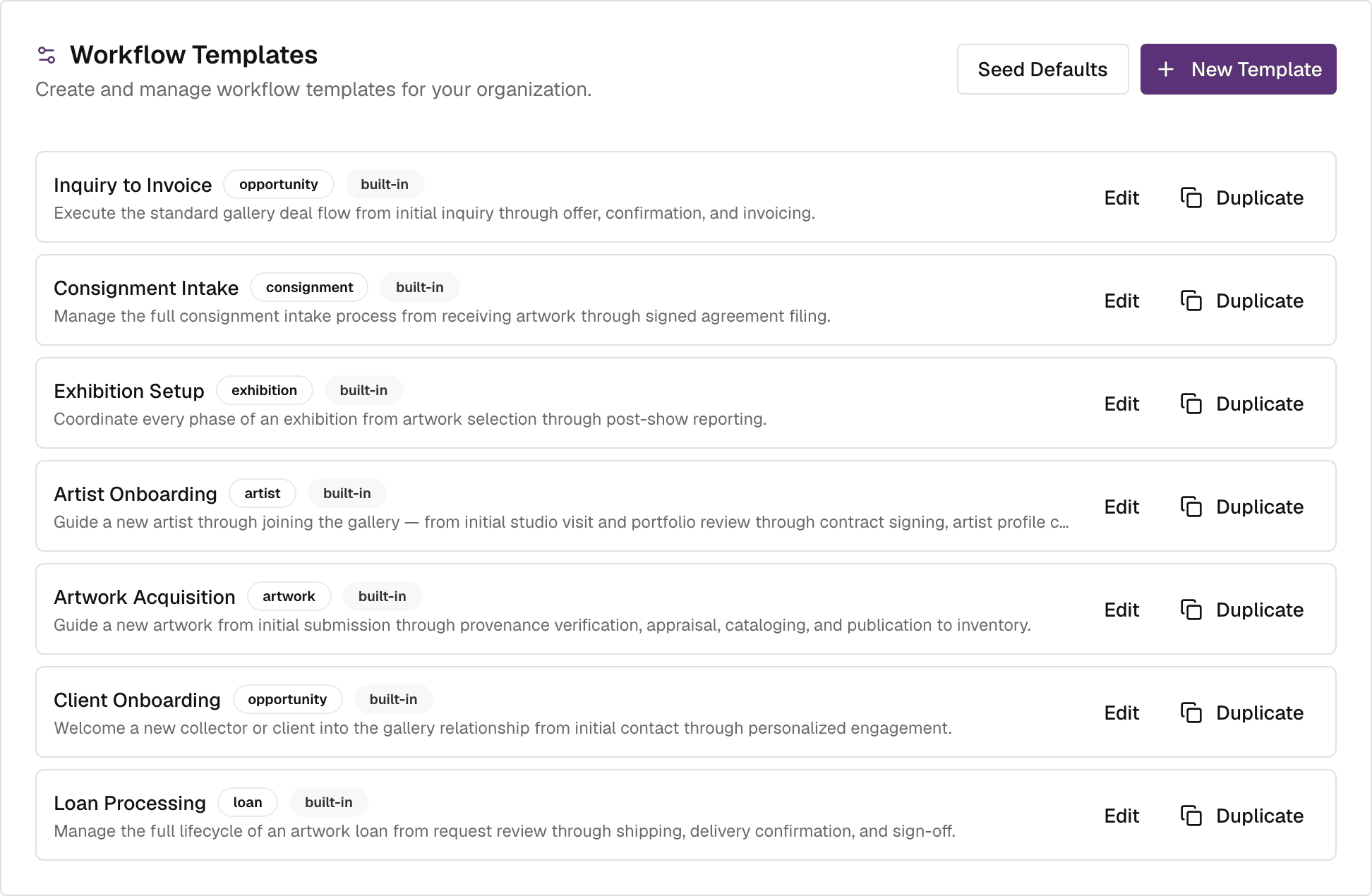
- Enquiry to Invoice6 steps: Qualify Enquiry → Prepare Offer → Internal Approval → Send Offer → Confirm Acceptance → Issue Invoice
- Consignment Intake6 steps: Receive Artwork → Photograph & Condition Report → Enter into Inventory → Create Consignment Agreement → Send Agreement to Artist → File Signed Agreement
- Exhibition Setup7 steps: Select Artworks → Create Exhibition Record → Plan Layout → Prepare Price List → Send Invitations → Opening Night Checklist → Post-Exhibition Reporting
- Artist Onboarding6 steps: Initial Meeting → Collect Artist Info → Sign Representation Agreement → Photograph Existing Works → Enter Works into Inventory → Set Up Artist Page
- Artwork Acquisition5 steps: Review Artwork Submission → Verify Provenance & Authenticity → Appraise & Set Pricing → Photograph & Catalog → Publish to Inventory
- Client Onboarding5 steps: Collect Contact Details → Assess Collection Interests → Create Viewing Room → Schedule Studio Visit or Gallery Tour → Send Welcome Package
- Loan Processing6 steps: Review Loan Request → Condition Report & Photography → Insurance Verification → Prepare Loan Agreement → Arrange Shipping → Confirm Delivery & Sign-Off
Ready-made workflows
- Ready-made workflows, each a list of steps in order, to start on a record.
- Each step has an owner and a due time, counted from the moment the workflow starts.
- On trackUnder 75% of the step's time used.
- At risk75% to 100% of its time used.
- OverduePast its due time.
Where every workflow stands
- Each open step shows as on track, at risk or overdue, and each workflow shows how far along it is.
- Reports → Workflows counts active, completed and overdue work, shows how long a workflow usually takes, and which steps are blocked right now.
What changes for your gallery
- The same way every time7 ready-made workflows lay out a deal, a consignment or a show step by step.
- A due time on every stepAssign someone to each step; its due time counts from when the workflow starts.
- Late work is visibleEach open step shows as on track, at risk or overdue, and Reports → Workflows counts it.
How it works
- 01StartPick one of 7 ready-made workflows on a record.
- 02AssignGive each step to someone on the team.
- 03TrackEach open step shows as on track, at risk or overdue.
- 04ReviewReports → Workflows shows where every workflow stands.
Does not yet
- Start a workflow you've built yourself: only the ready-made ones can be started.
Questions
Who does each step?
Each step has an owner and a due time, counted from the moment the workflow starts.
How do I see what's late?
Each open step shows as on track, at risk or overdue, and each workflow shows how far along it is. Reports → Workflows counts active, completed and overdue work, shows how long a workflow usually takes, and which steps are blocked right now.
Which workflows can I start?
Ready-made workflows, each a list of steps in order, to start on a record: Enquiry to Invoice, Consignment Intake, Exhibition Setup, Artist Onboarding, Artwork Acquisition, Client Onboarding, Loan Processing.
Does a late step email anyone?
Not yet. Late steps show on the workflow and in Reports → Workflows.