
How to catalogue 500 works in a weekend
Artfolio · 7 min read
Cataloguing a big backlog feels like a month of evenings because, done by hand, it is. The trick is to let the machine do the first pass on everything and reserve your time for the only step that needs a person: review.
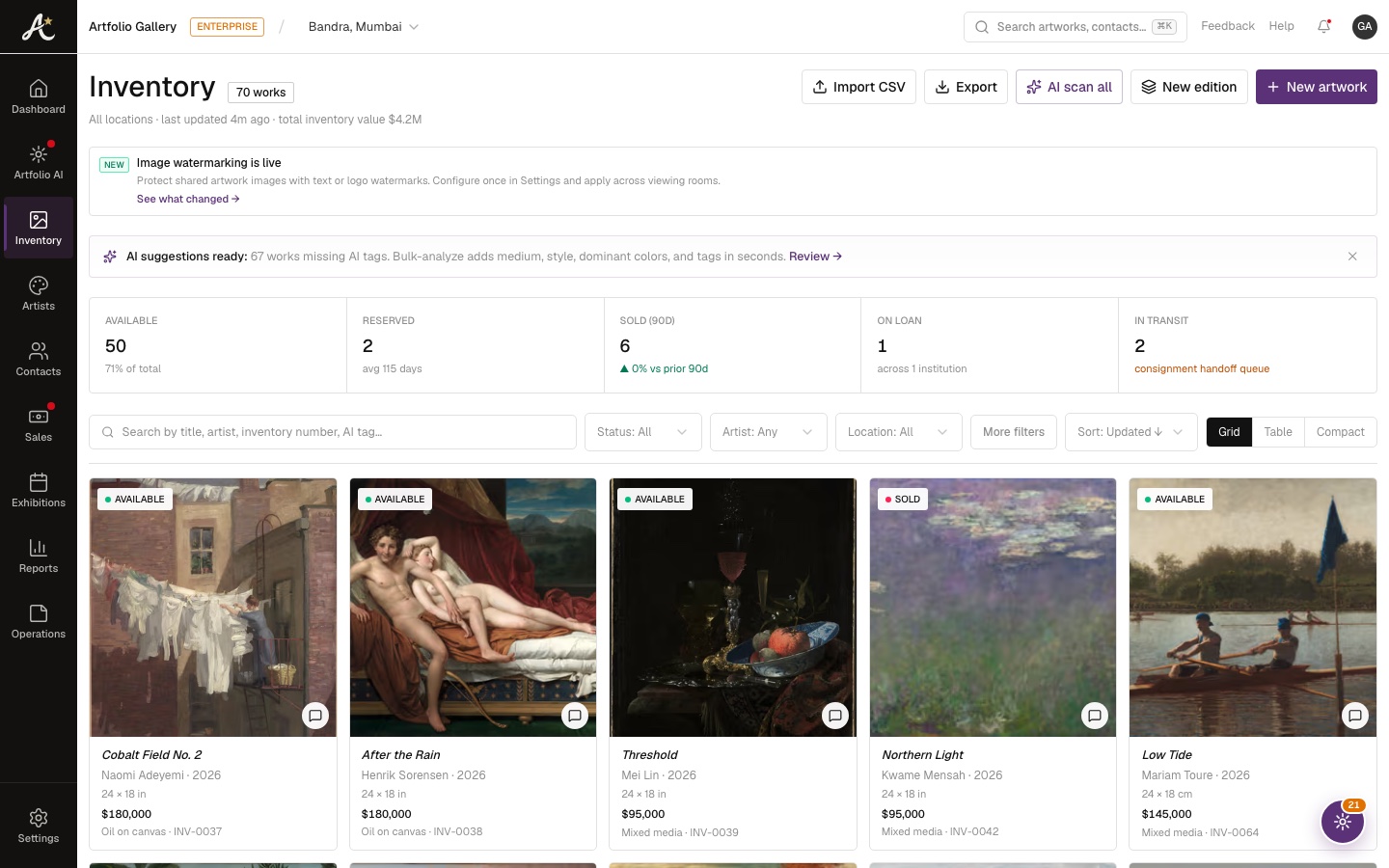
Every gallery has the backlog. The hundreds of works that never made it off the spreadsheet, or out of the artist's delivery, or into any system at all. It sits there as a vague guilt, because the obvious way to deal with it — open a record, type the title, the medium, the dimensions, the year, attach the image, repeat five hundred times — is genuinely a month of evenings.
It doesn't have to be. A backlog that large is a data problem, and data problems are exactly where automation shines. With the right workflow, five hundred works is a focused weekend — not because you type faster, but because you stop typing the parts a machine can fill. Here's how to actually do it.
Pick your on-ramp: CSV import vs AI-as-you-upload
There are two fast ways into Artfolio, and which you choose depends on what you already have.
- If your data lives in a spreadsheet — even a messy one — start with CSV import. Map your columns to the artwork fields once and bring the whole sheet in at once. The bones of every record are now in place; you're left adding images and cleaning up.
- If your data lives in a pile of photographs — works you have images of but no real records for — use AI-as-you-upload. Drop in an image and the AI reads the medium, likely style and mood, dominant colours, suggested tags, and a price band from comparable sales. The record fills itself from the picture.
Most galleries use both: import the spreadsheet for the works it covers, then upload images for everything it missed. The two paths converge on the same clean inventory.
Batch the boring parts
The weekend works because you treat it as an assembly line, not a series of perfect individual records. Get everything to “good enough to review” first, then sweep through.
Upload images in batches and let the AI run on the lot. Resist the urge to perfect each record as you go — that's the habit that turns a weekend back into a month. Your job in the first pass is volume: get all five hundred works into the system with the machine's best guess attached. The polishing is a separate, faster pass.
Review is the job — so do it deliberately
This is the step that matters, and it's the one that stays human. AI fills the record; you are the editor who signs off on it. The discipline is simple and worth stating plainly:
- Trust the easy fields, verify the consequential ones. Medium and colour the machine gets right almost always. The price band is a starting point you confirm or adjust — never a number you let ship unread.
- Fix in passes, not one record at a time. Sweep all the dimensions, then all the prices, then all the tags. Working a column at a time is far faster than perfecting rows.
- Flag what needs a specialist. Provenance, condition notes, and edition details often need a human who knows the work — mark those and come back, rather than stalling the whole batch on them.
Done this way, review is fast precisely because you're editing a draft instead of authoring from scratch. The blank page — the thing that made cataloguing feel endless — never appears.
Named views turn a pile into a working collection
Five hundred clean records is an achievement, but it's the structure on top that makes it useful day to day. Before you close the laptop on Sunday, set up the views your team will actually live in.
Artfolio's named views let each role see the same inventory through the right lens — a registrar's view with locations and condition, a sales view with prices and status, a fair view stripped to the essentials. Smart collections go further: define a rule once — “available works under a price, by these artists” — and the collection populates itself as inventory changes. The backlog you dreaded is now a living, queryable collection that maintains its own organisation.
The reason cataloguing has always felt impossible is that galleries have always done the machine's work by hand. Flip that — let AI do the first pass on everything, spend your weekend reviewing instead of typing, and leave with named views in place — and five hundred works stops being a someday project. It becomes this weekend's, and the AI to do it is in every plan.
See it on your own collection
Start a 30-day free trial — no credit card.